- English


Sexual Compulsives Anonymous
Paypal Instructions
In accordance with our Sixth Tradition, SCA does not endorse or lend its name to PayPal.com or to any credit card company; we are using their services as a way to transfer money.
If you have not registered with PayPal before, please do so before you click on the PayPal Donate button. You should do so on the PayPal site in your own country.
Please do not use the link where it says, “Don’t have a PayPal account?” It works only in the United States.
In order to make a donation using your credit card, you click on the Donate image:
This sends you to PayPal’s secure web page – the top of the page will look like the one below:
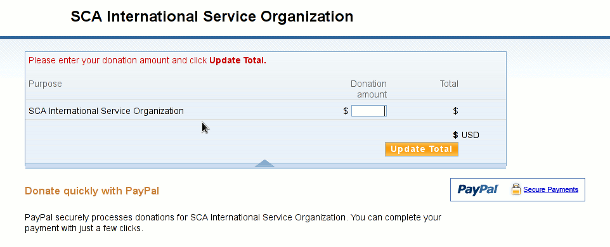
The first step is to put in the amount of your donation into the "Per Donation amount" field and click on the “Update Total” button.
Since you are already registered with PayPal, you will be able to login with your email address and your password.
You will reach a confirmation screen to verify all your information. Click on the button to actually make the donation.
PayPal will automatically send your name and amount of your donation to the SCA ISO Treasurer.